.NET Full Stack Developer Roadmap: The Order That Actually Compounds
CareerCTO14 min read
Most .NET roadmaps list every technology in the ecosystem and let you sort out the order. This one orders C#, SQL, ASP.NET Core, and Angular by dependency, and marks three points where you should stop studying and ship something a recruiter can actually open.
Search for a ".NET full stack roadmap" and you get a wall of logos: C#, ASP.NET Core, Entity Framework, SQL Server, Angular, Docker, Azure. Nobody tells you which one unlocks the next one.
That ordering problem is the real reason learners stall. You spend three weeks on Angular routing before you can write a SQL join, then hit a wall the moment your component needs real data.
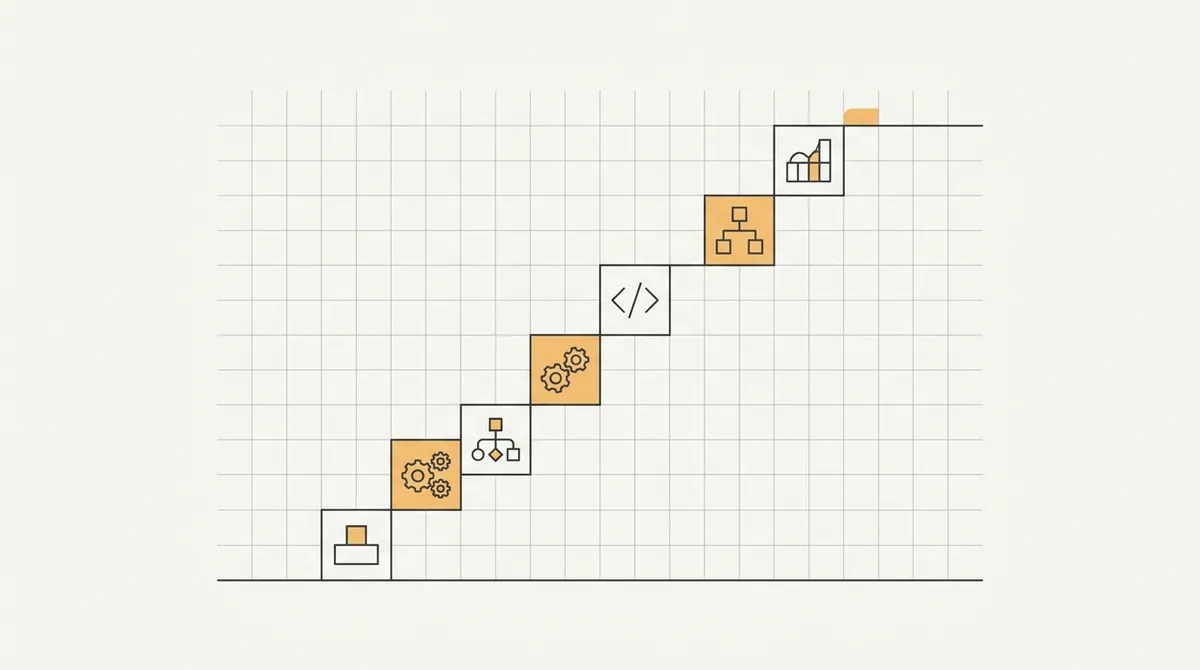
This roadmap is ordered by dependency, not by popularity. Each stage exists because the next one is unreadable without it, and at three points you should stop learning and ship something visible instead.
Skip a stage and you will still learn the material eventually, just later, under worse conditions, usually while debugging a production issue instead of a tutorial.
Why sequence matters more than coverage
A checklist roadmap treats every topic as equally urgent. A sequenced roadmap treats each topic as a key that opens the next door, and nothing else.
Learn SQL before Entity Framework Core, and the ORM's generated queries make sense the first time you read them. Learn EF Core first, and you will debug N+1 query problems for months without knowing why they happen.
The same logic applies to C# before ASP.NET Core, and ASP.NET Core before Angular integration. Each layer explains the one built on top of it.
If you already know one of these layers, skip ahead. This is a dependency order, not a fixed number of weeks for every learner.
Time estimates for a roadmap like this vary too much by prior experience, hours available per week, and how deeply you want to understand each layer to be worth guessing at here.
What does not vary is the order. A learner with ten hours a week and a learner with forty hours a week both hit the same wall if they learn Angular before SQL - they just hit it at different calendar dates.
Stage 1: C# fundamentals, not framework syntax
Start with the language itself, separate from any framework. Variables, control flow, classes, interfaces, generics, LINQ, and async/await are the vocabulary everything else is written in.
Resist the pull toward ASP.NET Core tutorials this early. A tutorial that scaffolds a project for you hides exactly the syntax you need to read confidently later.
LINQ deserves extra time here. Once you can read a .Where().Select().OrderBy() chain without translating it in your head, EF Core queries and Angular's RxJS operators both become far less strange.
Async/await is the other non-negotiable. Nearly every ASP.NET Core method you will write is async, and misunderstanding it produces deadlocks that are painful to diagnose later.
Interviewers test this layer hardest, because it is the one people skip. A working list of the exact questions asked at this level is in our C# interview questions for experienced developers, and it is worth skimming even before you start job hunting, just to know what depth is expected.
Stop and ship: a command-line tool
Before touching a web framework, build something that runs. A small command-line tool - a budget tracker, a file organizer, a text-based game - forces you to use classes, collections, and file I/O together.
This is the first of three stopping points in this roadmap. The goal is not a polished product. The goal is proof, to yourself and later to a reviewer, that you can finish something.
Push it to a public repository with a plain README describing what it does and how to run it. That single artifact does more for your confidence than another two weeks of tutorials.
Stage 2: relational thinking and SQL
Learn SQL before you touch an ORM. Tables, primary and foreign keys, joins, indexes, and normalization are concepts that exist independently of any specific database product.
Practice writing raw queries against a real database, not just reading about syntax. Create a small schema - orders, customers, products - and write joins that answer actual questions, like "which customers ordered nothing last month."
Understanding indexes matters more than most learners expect. An index turns a slow table scan into a fast lookup, and knowing when one is missing is a skill that separates a junior developer from someone the team trusts with production data.
SQL Server specifically has its own quirks around isolation levels, execution plans, and stored procedures that come up constantly in interviews for .NET roles. Our SQL Server interview questions page covers the ones that get asked most.
Do not skip this stage because "the ORM will handle it." The ORM translates your intent into SQL. If you cannot read the SQL it produces, you cannot tell when it produces something wasteful.
Spend time on execution plans too, even a basic version. Seeing whether a query hits an index scan or a full table scan turns "this feels slow" into a specific, fixable claim.
Transactions and isolation levels are easy to skip at this stage and expensive to skip later. Even a rough understanding of why two concurrent updates can conflict will save you from a confusing bug months from now.
Stage 3: ASP.NET Core, the web layer
With C# and SQL in hand, ASP.NET Core stops being magic and becomes a set of decisions you can follow. Routing maps a URL to a method. Middleware runs code around every request. Dependency injection hands your classes the objects they need.
Build a minimal API first, not a full MVC project with views. A handful of endpoints that return JSON is enough to understand the request pipeline without the added surface area of server-rendered pages.
Focus on the parts that show up in real jobs: model validation, error handling middleware, and returning proper HTTP status codes instead of always returning 200 with a message field.
Configuration and environments come next - appsettings.json, environment variables, and the difference between development and production settings. Every real deployment breaks on this at least once.
Logging is worth setting up properly here rather than leaving as an afterthought. Structured logging that records what happened, when, and with what data turns a production incident into something you can actually diagnose instead of guess at.
The most common interview gap at this stage is not knowing why dependency injection exists, only that it does. Our ASP.NET Core interview questions page has the exact framing interviewers use, which is worth matching in your own explanations.
Stage 4: Entity Framework Core, connected to what you already know
Now the ORM makes sense. You already know what a join looks like in SQL, so you can recognize when EF Core's LINQ-to-SQL translation is doing something reasonable, and when it is not.
Start with code-first migrations on a small schema you already designed by hand in Stage 2. Watching EF Core generate the same tables you wrote manually closes the loop between the two stages.
| Concept | What it solves | Where it bites you if skipped |
|---|---|---|
| Migrations | Versioned schema changes | Manual SQL scripts drift from code |
| Change tracking | Knowing what to save | Silent no-op updates |
| Eager vs lazy loading | Controlling query count | N+1 query performance bugs |
| DbContext lifetime | Connection and memory use | Leaked connections under load |
Learn eager loading (.Include()) deliberately, and know what happens without it. This is the single most common EF Core performance bug in real codebases, and it is invisible until traffic grows.
DbContext lifetime is worth understanding on purpose, not by accident. In ASP.NET Core it is typically scoped per request, and mixing that up with a singleton service is a mistake that surfaces as strange, hard-to-reproduce bugs.
Repository and unit-of-work patterns show up in a lot of .NET tutorials at this point. They are useful in some codebases and unnecessary ceremony in others - understand what problem they solve before adding the layer, rather than adding it out of habit.
Stage 5: authentication and authorization
Every real API needs to know who is calling it and what they are allowed to do. ASP.NET Core's identity and JWT-based authentication are the standard approach for API-first backends.
Build this against your own API from Stage 3, not a tutorial's throwaway project. Add a login endpoint, issue a token, and protect one route with an [Authorize] attribute.
Keep the scope narrow here. You need to understand tokens, claims, and role-based checks well enough to explain them, not build a full identity provider from scratch.
This is also where security habits start, and they matter beyond the interview. A verified badge on a developer profile only confirms a training cohort was completed, never that the person's code is secure - that distinction is worth internalizing early, because what a CareerCTO verification actually proves is a narrower claim than most badges imply.
Stop and ship: a public API
Deploy the API from Stages 3 through 5 somewhere reachable - a free tier on any cloud provider is enough. Add a Swagger or OpenAPI page so anyone can see the endpoints without reading your source code.
This is the second stopping point, and it is the one most learners skip because "the frontend isn't done yet." A working, documented backend is a complete artifact on its own, and it is the piece a technical reviewer can test in under a minute.
Write down what the API does, how to authenticate against it, and one example request and response. That documentation is often the difference between a reviewer opening your project and closing the tab.

Stage 6: Angular fundamentals
Angular in its current form leans heavily on signals and standalone components, which is a real shift from the NgModule-heavy Angular of a few years ago. Learn the current approach directly rather than starting from older tutorials.
Components, templates, and data binding are the core loop. A component's state changes, the template re-renders, and the user sees the update - understanding that loop matters more than memorizing every directive.
Signals are Angular's current model for reactive state, replacing a good portion of what used to require RxJS for simple cases. Learn signals first, then layer in RxJS for the genuinely asynchronous cases - HTTP calls, timers, and event streams - where it still earns its complexity.
Routing and forms round out the fundamentals. Reactive forms in particular are worth the extra setup over template-driven forms, because most real applications need the validation control they provide.
Angular interview questions tend to probe change detection and component lifecycle specifically, because those are the areas where surface-level tutorials leave gaps. Our Angular interview questions page is a useful checklist before you consider this stage complete.
Dependency injection appears again here, on the frontend side this time. A service injected into a component for shared state or HTTP calls is the same underlying idea you already learned in ASP.NET Core, applied to a different framework.
Component lifecycle hooks are worth learning by cause and effect rather than by memorizing names. Know what triggers each hook and what kind of work belongs inside it, and the exact hook names stop being something you need to recall under pressure.
Stage 7: the seam between frontend and backend
This is the stage most roadmaps skip entirely, and it is where full stack actually means something. Connect the Angular app from Stage 6 to the ASP.NET Core API from Stage 5, end to end.
CORS is the first wall you will hit, and understanding why it exists - a browser security boundary, not an arbitrary annoyance - saves hours of copy-pasted configuration you do not understand.
Handle the token from Stage 5 on the Angular side: store it, attach it to outgoing requests with an HTTP interceptor, and handle the case where it expires mid-session.
Error handling across the seam deserves real attention. A backend validation error should surface as a readable message in the Angular form, not a generic "something went wrong" toast that hides the actual problem.
This stage is also where you learn to read a network tab, not just application code. Watching real requests and responses teaches you more about your own API's behavior than reading the backend source ever will.
Loading and empty states belong here too, not as a polish pass later. A screen that only handles the happy path looks broken the first time a real user hits a slow network or an empty result set.
Stop and ship: the full stack app
Put the whole thing together - Angular frontend, ASP.NET Core API, SQL Server or another relational database, deployed and reachable by URL. This is the third and most important stopping point.
Pick a scope you can actually finish: a small inventory tracker, a booking system, a personal finance log. The domain matters far less than whether it is complete, deployed, and free of obvious bugs when a stranger clicks around it.
A finished small project outperforms an ambitious unfinished one in every hiring conversation. Reviewers spend minutes, not hours, on a portfolio project, and an unfinished one reads as unfinished regardless of how much work went into it.
If you are building this project specifically to get in front of employers, a profile that links to working, deployed projects is worth more than a resume bullet claiming the same stack. You can build a developer profile once you have something real to point to.
Stage 8: testing, and why it comes after, not before
Testing frameworks - xUnit for the backend, Jasmine or Jest with Angular's testing utilities for the frontend - are easiest to learn against code you already wrote and understand.
Start with unit tests for a service class or a component with real logic in it, not a trivial getter. Testing something trivial teaches you the syntax without teaching you why testing exists.
Integration tests for the API come next: spin up the app in a test host, hit a real endpoint, and assert on the response. This catches the class of bugs that unit tests, by design, cannot.
Do not chase 100 percent coverage. A handful of meaningful tests around the parts of your app most likely to break quietly - authentication, payment logic, data validation - is worth more than exhaustive coverage of code that rarely changes.
Mocking dependencies is the other skill this stage teaches. Faking a database call or an external API in a test is what lets a test suite run in seconds instead of minutes, and it forces you to think about your code's boundaries.
Stage 9: what gets you hired, and what to leave for later
Version control discipline, code review habits, and basic CI setup are skills that show up in almost every job description but rarely in tutorials. A GitHub Actions workflow that runs your tests on every push is a small, learnable thing that signals real practice.
Reading other people's code matters as much as writing your own at this point. Pick an open source .NET or Angular project and trace how one feature works end to end, without changing anything yet.
Interview preparation is its own skill, separate from coding ability. Reviewing the C#, ASP.NET Core, SQL Server, and Angular question sets linked throughout this roadmap together, in one sitting, closes gaps that studying each topic in isolation leaves open.
When you are ready to apply, understand what the job market is actually screening for. Reviewed job listings on the CareerCTO jobs board tend to be explicit about the stack and seniority level expected, which is a faster signal than most generic job boards give you.
Deliberately leave microservices, message queues, Kubernetes, and broader cloud architecture patterns for after this roadmap. Those are real skills, but they belong after you can build and ship a single well-structured application, not before.
Learning them earlier usually means learning them shallow - enough to name-drop on a resume, not enough to reason about when to use them. That gap shows immediately in a technical interview, faster than almost any other kind of gap.
Employers hiring for full stack .NET roles, visible on our list of companies hiring, are almost always looking for someone who can own a complete feature across the stack first. Infrastructure depth comes with seniority, not before it.
If you already work with these tools professionally and want to hire developers who have gone through a structured version of this path, posting a reviewed job reaches people who have shipped real projects, not just completed a course.
Common ways this roadmap gets derailed
A few mistakes show up again and again in learners following a plan like this one. None of them are fatal, but each one adds months without adding much skill.
| Mistake | What it looks like | What to do instead |
|---|---|---|
| Framework hopping | Switching from Angular to React mid-roadmap because a job post mentioned it | Finish one frontend stack before evaluating another |
| Tutorial looping | Rewatching a course instead of building the Stage 1 or Stage 7 project | Build first, rewatch only the specific part that is unclear |
| Version chasing | Rewriting a finished project every time a new .NET version ships | Ship on the version you started with, upgrade later if the project stays active |
| Skipping the stop points | Reading through all nine stages without ever deploying anything | Treat each stopping point as mandatory, not optional |
Version chasing deserves a specific note. .NET ships a new major version every year, and only some of them are long-term support releases. Picking whichever version your tutorial or course uses is fine for learning - the language and framework concepts carry over almost unchanged between versions, and chasing the newest release before you have shipped anything just resets your progress for no real gain.
What to do next
Pick the stage on this roadmap that matches where you actually are, not where you wish you were, and start there. If you are unsure, try to build the Stage 1 command-line tool from scratch - if it takes more than a day of real effort, that is your honest starting point.
The three stopping points matter more than any single technology on this list. A finished command-line tool, a documented public API, and a deployed full stack app are proof of work that a checklist of logos on a resume can never substitute for.
Once you have at least the deployed full stack project, put it somewhere a recruiter can actually see it working, not just read about it.